
Efficient File Management with WeSendit®: Perfectly Organized Data
1. Benefits of WeSendit® File Management
File Management provides an intuitive interface for organizing your digital archive. You save time by starting transfers directly from your directory and benefit from maximum security thanks to Swiss data protection standards and AES-256 encryption.
2. The Dashboard: Your Command Center
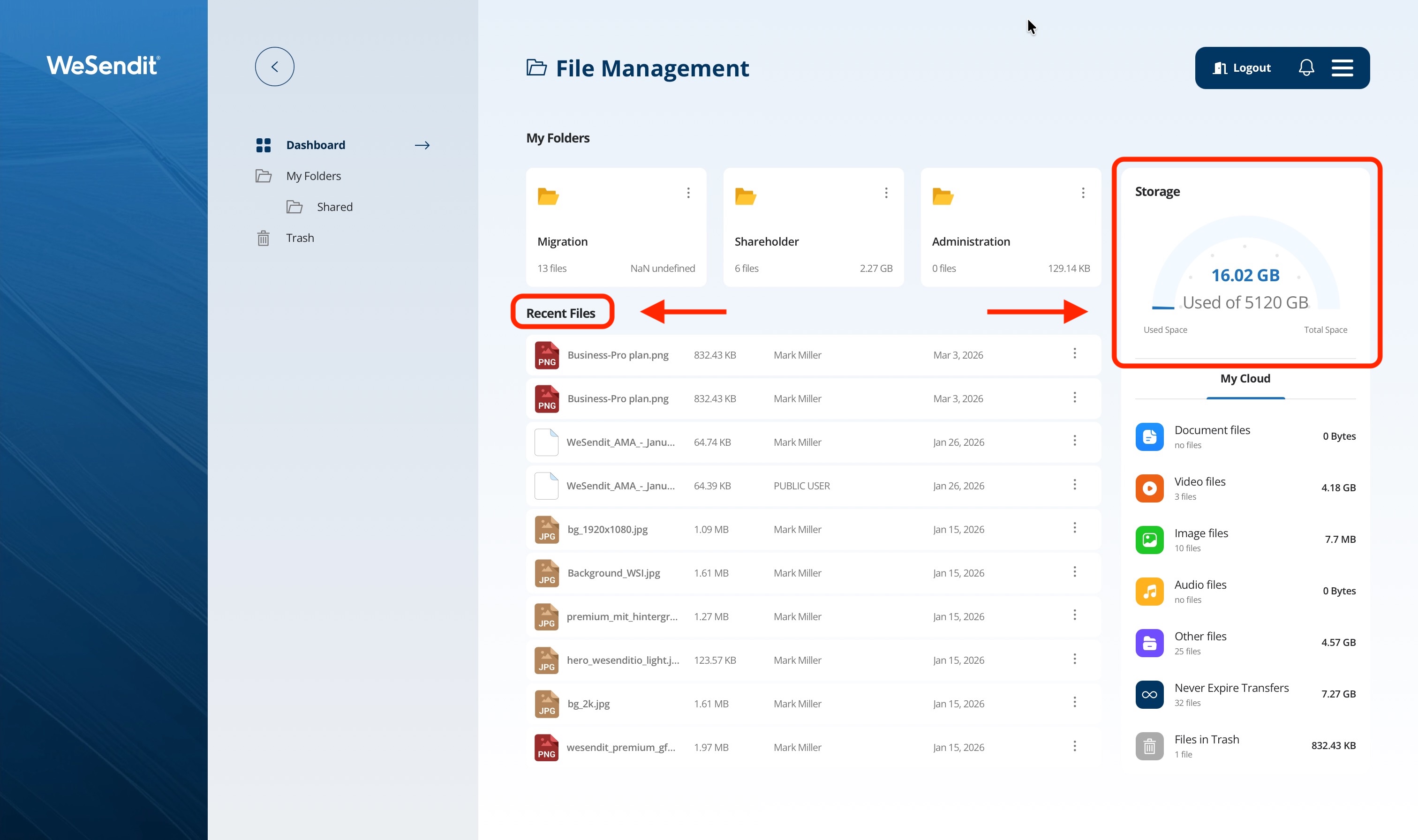
Your dashboard is clearly structured:
- My Folders: Navigate through your entire folder hierarchy.
- Recent Files: Quick access to the last 10 files used.
- Storage: A real-time graphic display of your used storage space.
3. Managing Folders and Files
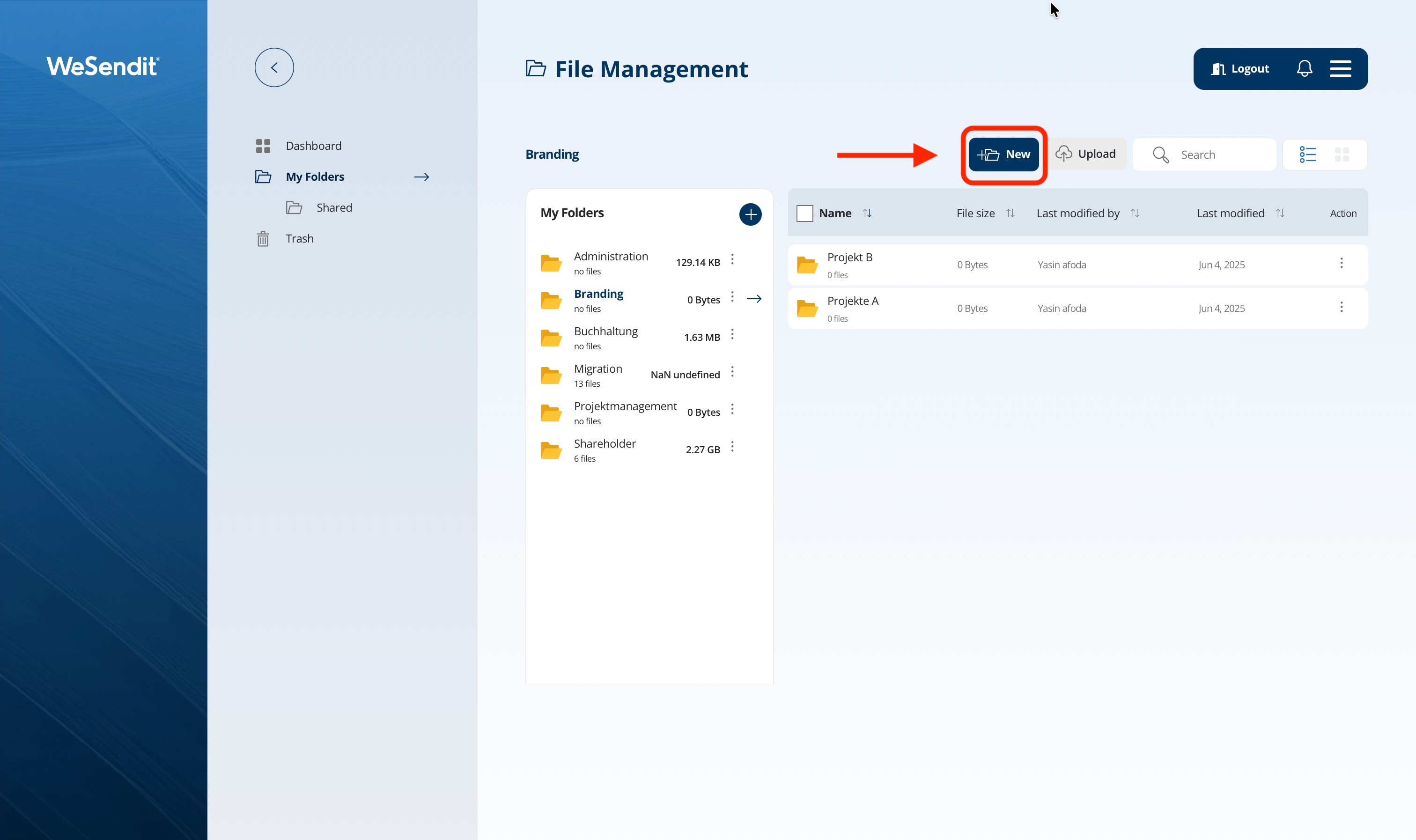
Use the "+ New" button for new folders and the "Upload" button for new data. Use the three vertical dots (action menu) to move, copy, or delete files.
4. Sharing: Safely Sharing Folders
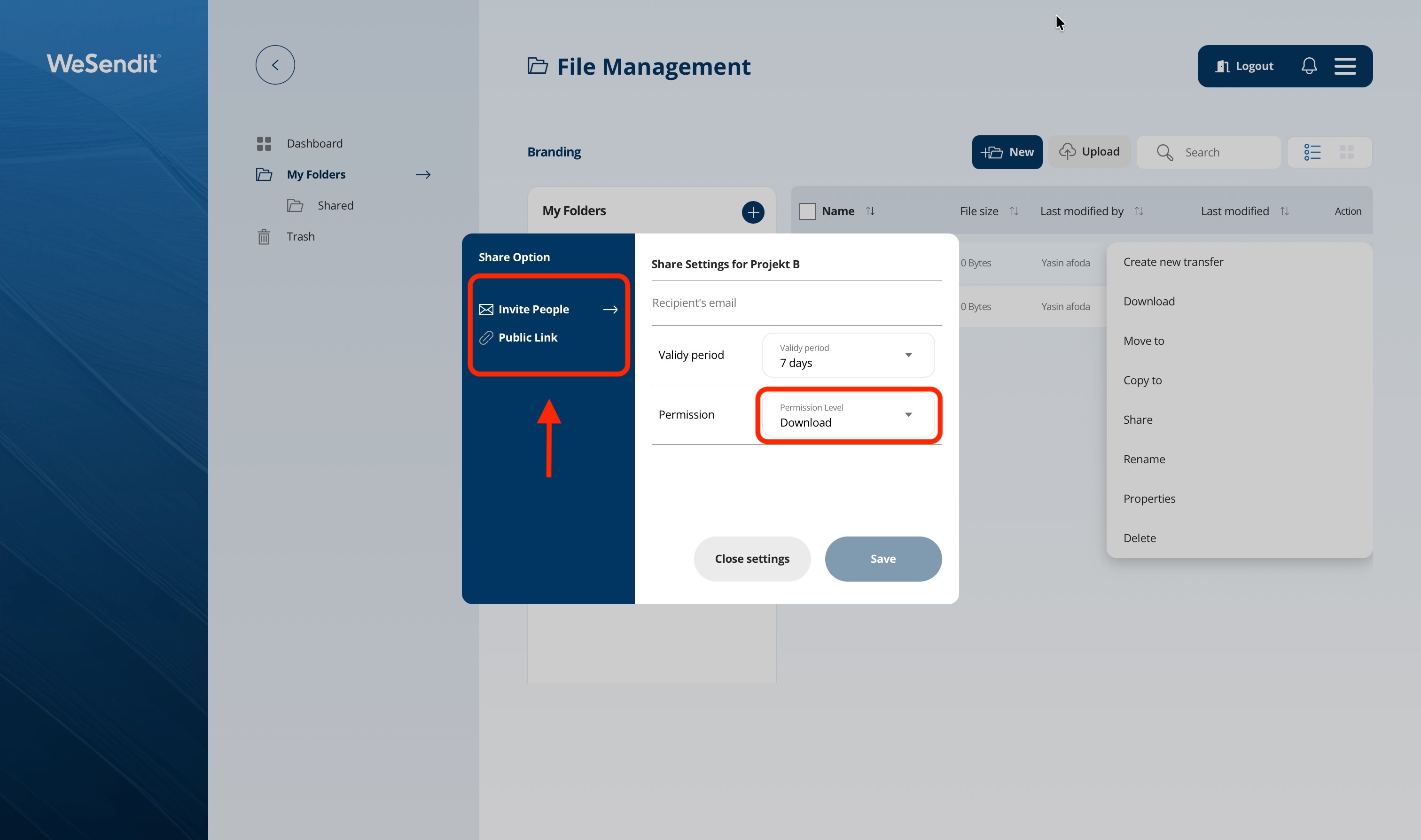
You can share folders even with people who do not have a WeSendit® account:
- Sharing Types: Public link or email invitation (with OTP verification).
- Permissions: Choose between "View Only", "Download Only", or "Full Access" (upload allowed).
- Security: A password is mandatory for Full Access.
5. Sending Files Directly from Storage
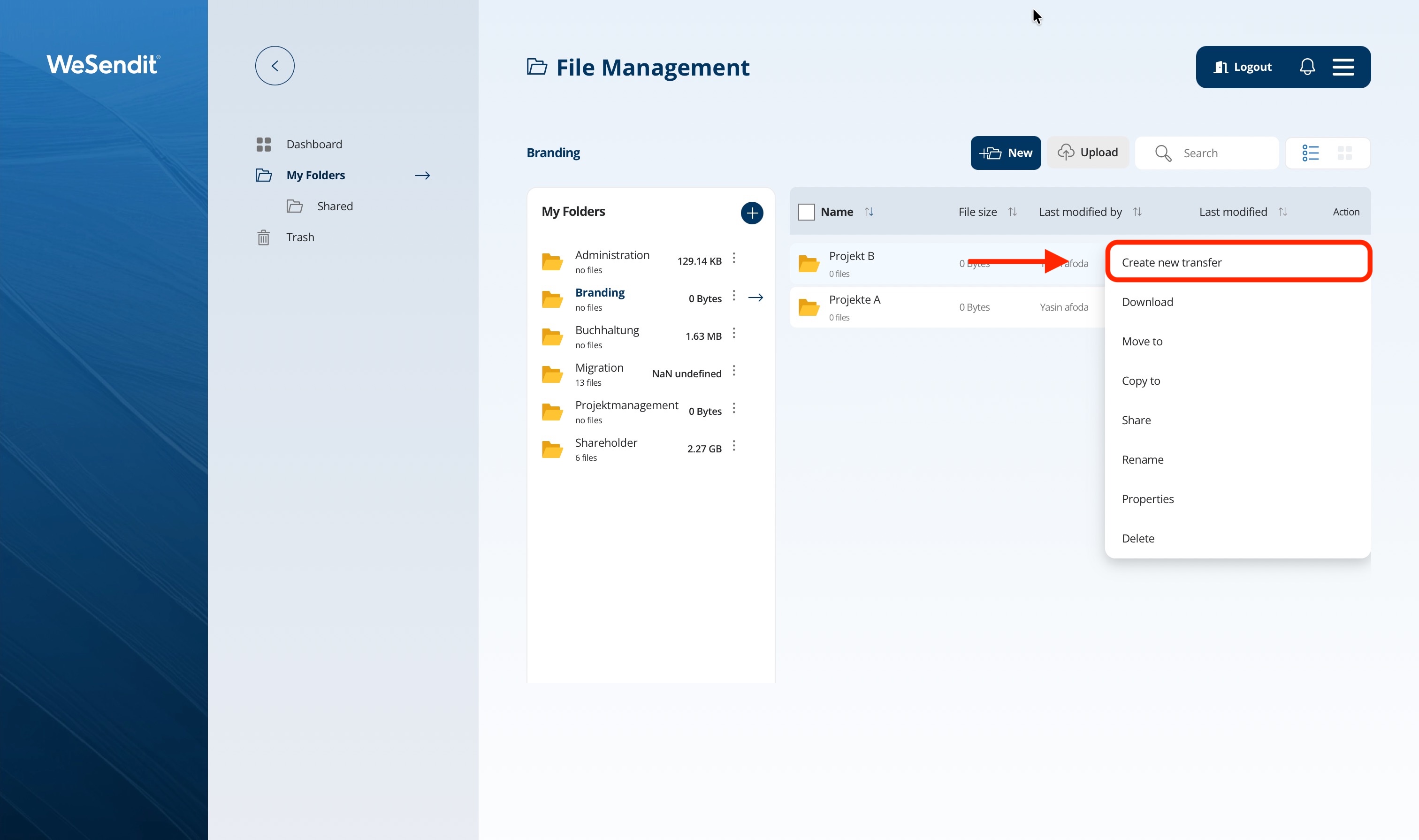
Select the desired items in the dashboard and click "Create new transfer". The system automatically transfers the selection to the transfer mask no need to re-upload the files!
6. Downloading Data
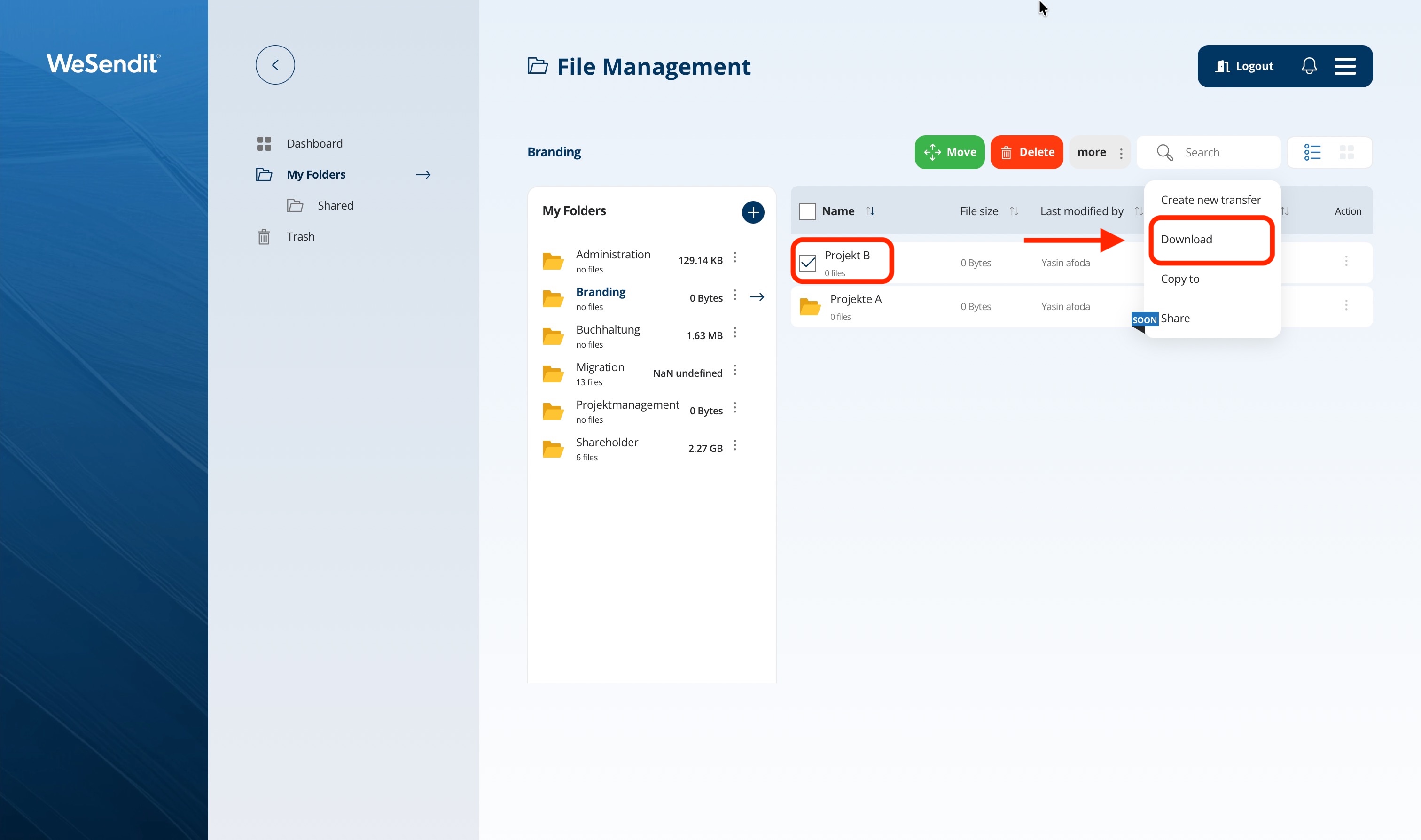
You can also download your files from the File Management. Select a file or folder and choose "Download".
Final tip: Use the search function in the dashboard to quickly find the right file even within large folder structures.
Still have questions?
Feeling a bit overwhelmed? That’s completely normal especially in the beginning. If anything remains unclear after browsing our Help Center, don’t hesitate to reach out. Our support team is always here to help you.