
Securely Sharing Folders: A Comprehensive Guide to Public Links and Email Invitations
In this article, you will learn how to use WeSendit® sharing features to optimize collaboration with partners and clients. We explain the difference between public links and email invitations, as well as the various security levels available.
1. Benefits of Sharing Folders
Sharing folders allows for flexible communication without requiring recipients to register. You maintain full control over your data through passwords, expiration dates, or verification via one-time passwords.
2. Method 1: Public Links
Ideal for quickly making content accessible to a broad audience.
- Select the folder in File Management.
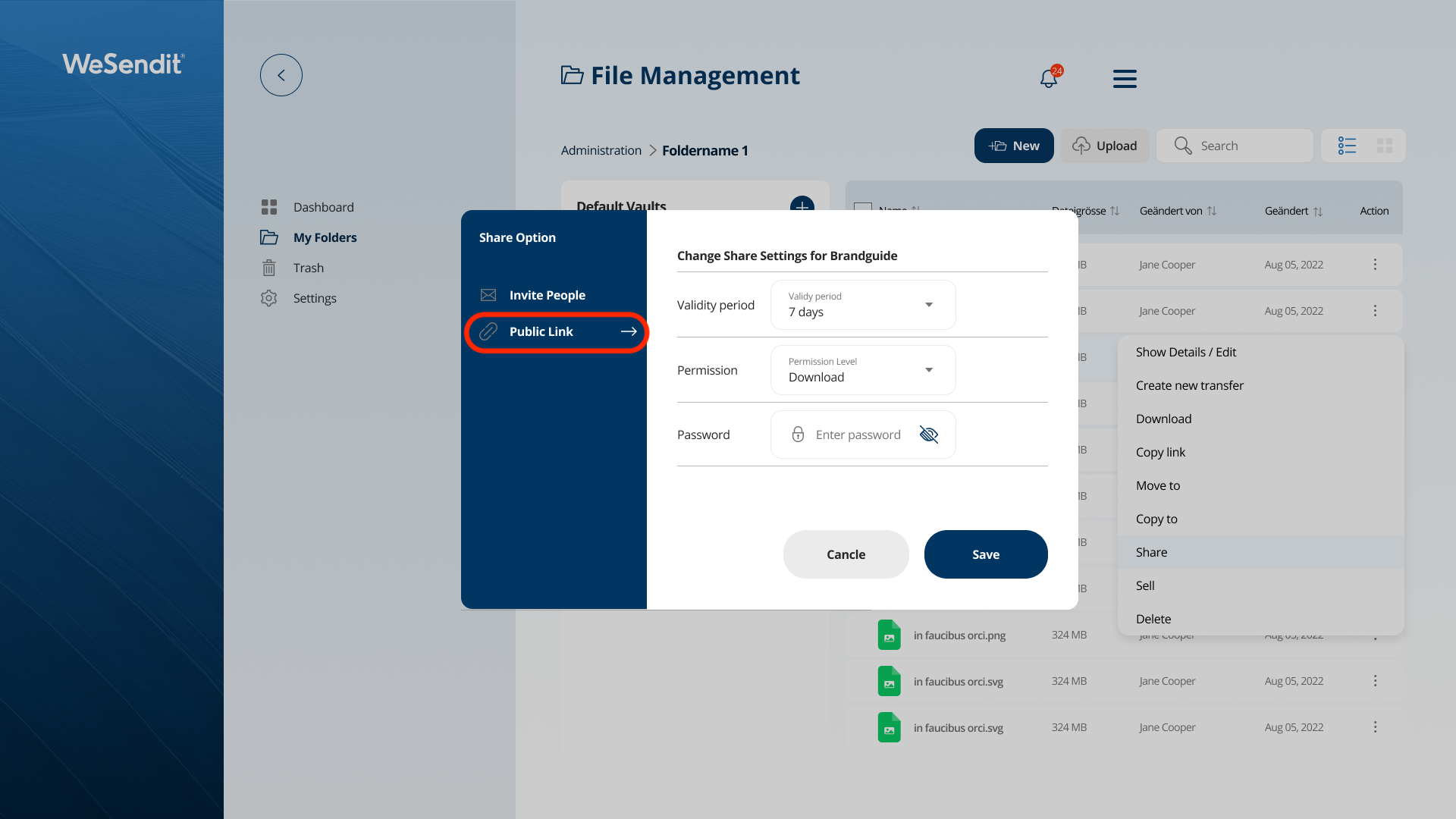
- Open the Share dialog via the context menu (right-click) or the three dots.
- Select "Public Link" and set the expiration duration.
- Choose the permission level.
- Click "Save" to create the URL.
💡
Important:
A password is mandatory for "Full Access".
3. Method 2: Invite via Email
For particularly secure collaboration with specific individuals.
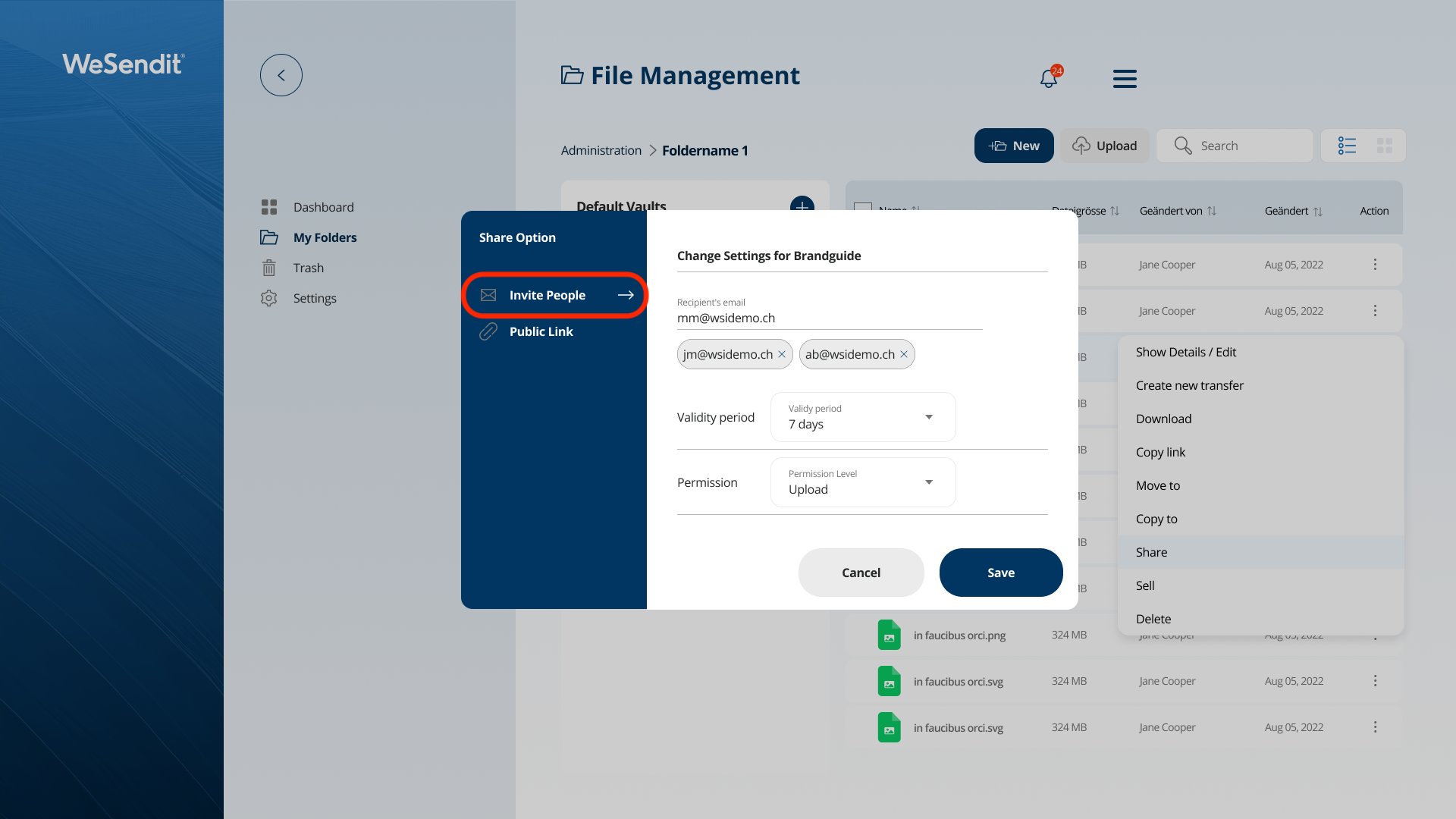
- In the Share dialog, select "Invite People".
- Enter the email addresses.
- Set expiration and permissions.
- Recipients will receive a link and must authorize their access via the e-mail sent to them automatically.
4. Permission Levels in Detail
- Download (Read Only): Recipients can view and download files but cannot change or upload anything.
- Upload: Recipients can add and download files but cannot delete existing data.
- Full Access: Recipients can upload, download, rename, and delete.
5. Central Management of Your Shared Links
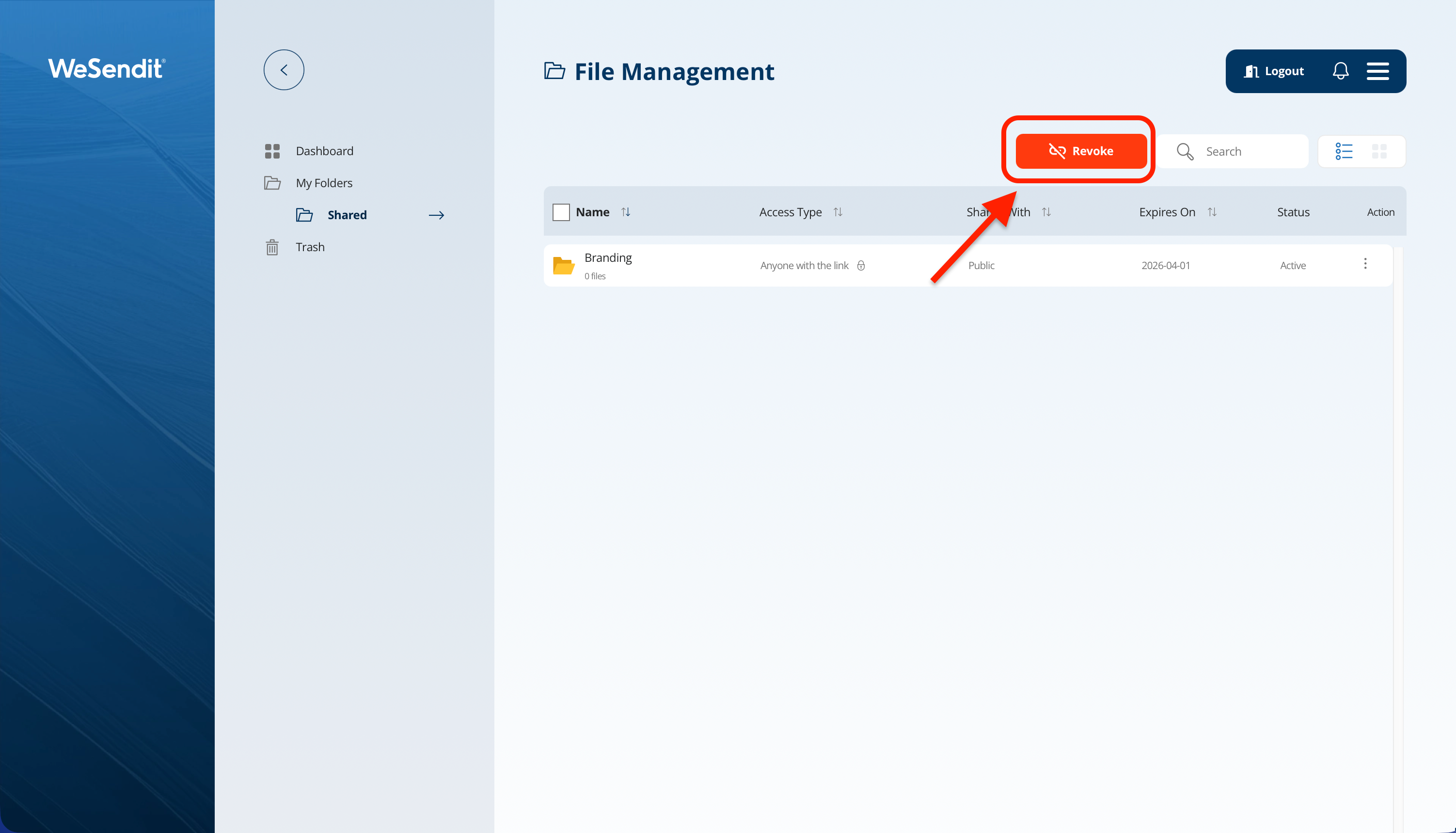
Under the menu item "Shared Links", you have a full overview at any time:
- Check status and expiration dates.
- Change permissions after the fact.
- Immediately revoke access (Revoke Access).
Pro Tip: If you delete a shared folder, all associated links are automatically deactivated.
Still have questions?
Feeling a bit overwhelmed? That’s completely normal especially in the beginning. If anything remains unclear after browsing our Help Center, don’t hesitate to reach out. Our support team is always here to help you.