
Team Management – Efficient Collaboration
1. What is Team Management?
This feature allows you to run a Web2 account as a team. As the Admin, you control access, while your team members use the infrastructure to upload, manage, or send files. This streamlines internal and external communication through a secure interface.
2. Sending Invitations and Limits
The number of team members is limited by your plan:
- Pro Plan: Up to 5 members.
- Business Plan: Up to 10 members.
How to invite someone:
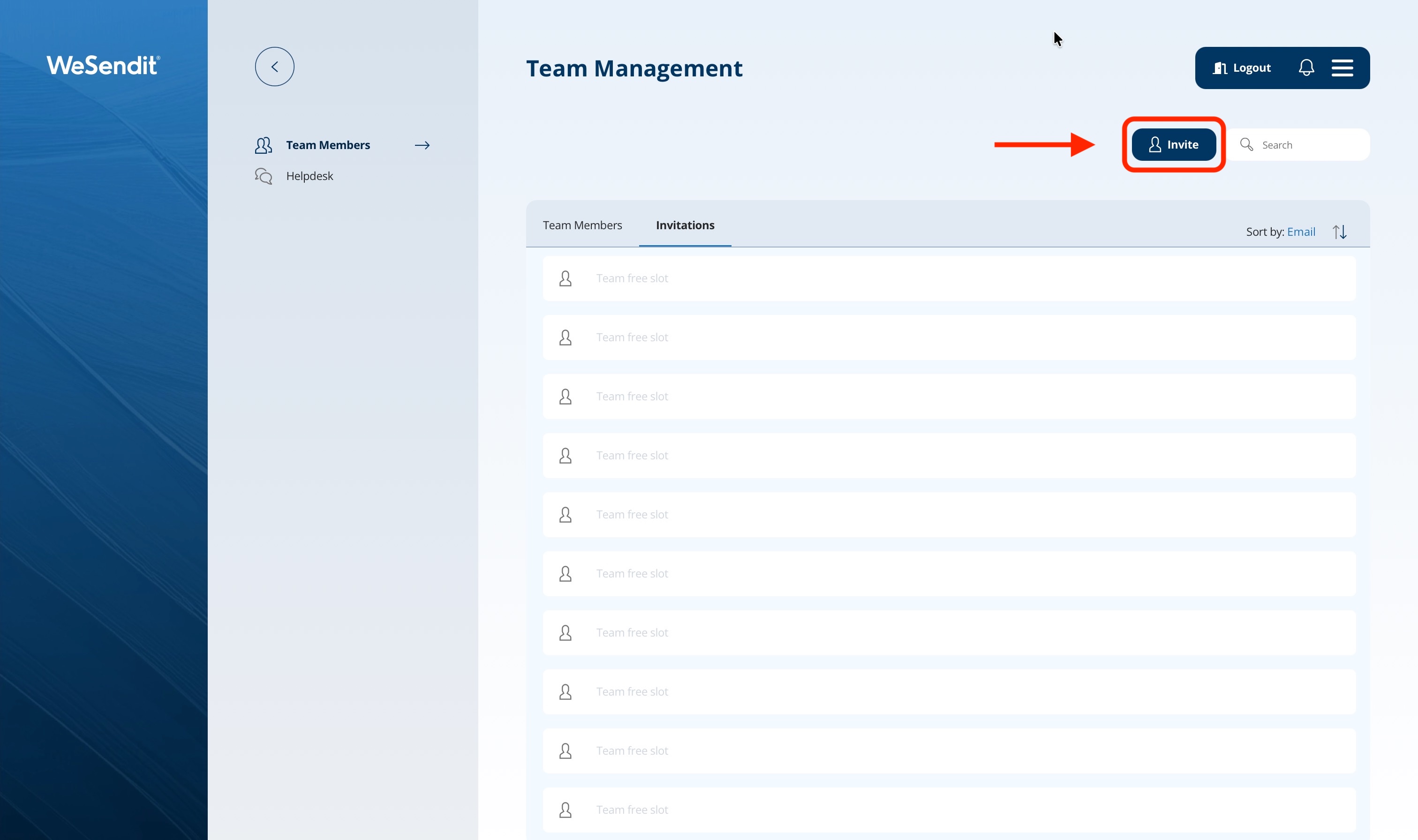
- Navigate to "My Add-ons" or Team Management in the main menu.
- Click on the "invite" button
- Enter the email address of the desired team member.
- Important: Invitations can only be sent to email addresses that do not yet have a WeSendit® account.
- The member will receive a temporary password via email.
3. First Steps for Team Members
To become active, a team member must complete the following:
- Log in using their email and the temporary password.
- Set their first name, last name, and a new, secure password.
- Once completed, the status changes from "temporary" to "regular."
4. Permissions: What Team Members Can Do
Team members have extensive capabilities within your account, with clear boundaries:
- File Management: View and manage folders and files in your storage.
- Transfer Functionality: Send files on behalf of the team with the same benefits as your main account.
- No Access: Branding Service, WeSendit® Widget, payment information, and plan upgrades are hidden from members.
5. Managing and Removing Members
As an Admin, you maintain full control:
- Removing Members: You can delete users at any time. Their access is revoked immediately.
- Revoking Invites: You can withdraw pending invitations to free up seats.
- Auto-Cleanup: If you downgrade to a "Free" plan, all team members will be removed automatically.
Pro Tip: Use Team Management for project groups. This ensures everyone has access to the same current data while you keep costs and security under control.
Still have questions?
Feeling a bit overwhelmed? That’s completely normal especially in the beginning. If anything remains unclear after browsing our Help Center, don’t hesitate to reach out. Our support team is always here to help you.