
Stay in Control: How to Use Your Transfer History
1. What is the Transfer History?
The system automatically logs every one of your transfers in an encrypted data history. This allows you to check the status of your files at any time, see which recipients have already downloaded data, and re-copy or delete your file links as needed.
2. Accessing Your History
You can access the Transfer History at any time via the main menu, provided your subscription supports this feature.
Step-by-Step:
- Log in to your WeSendit® account.
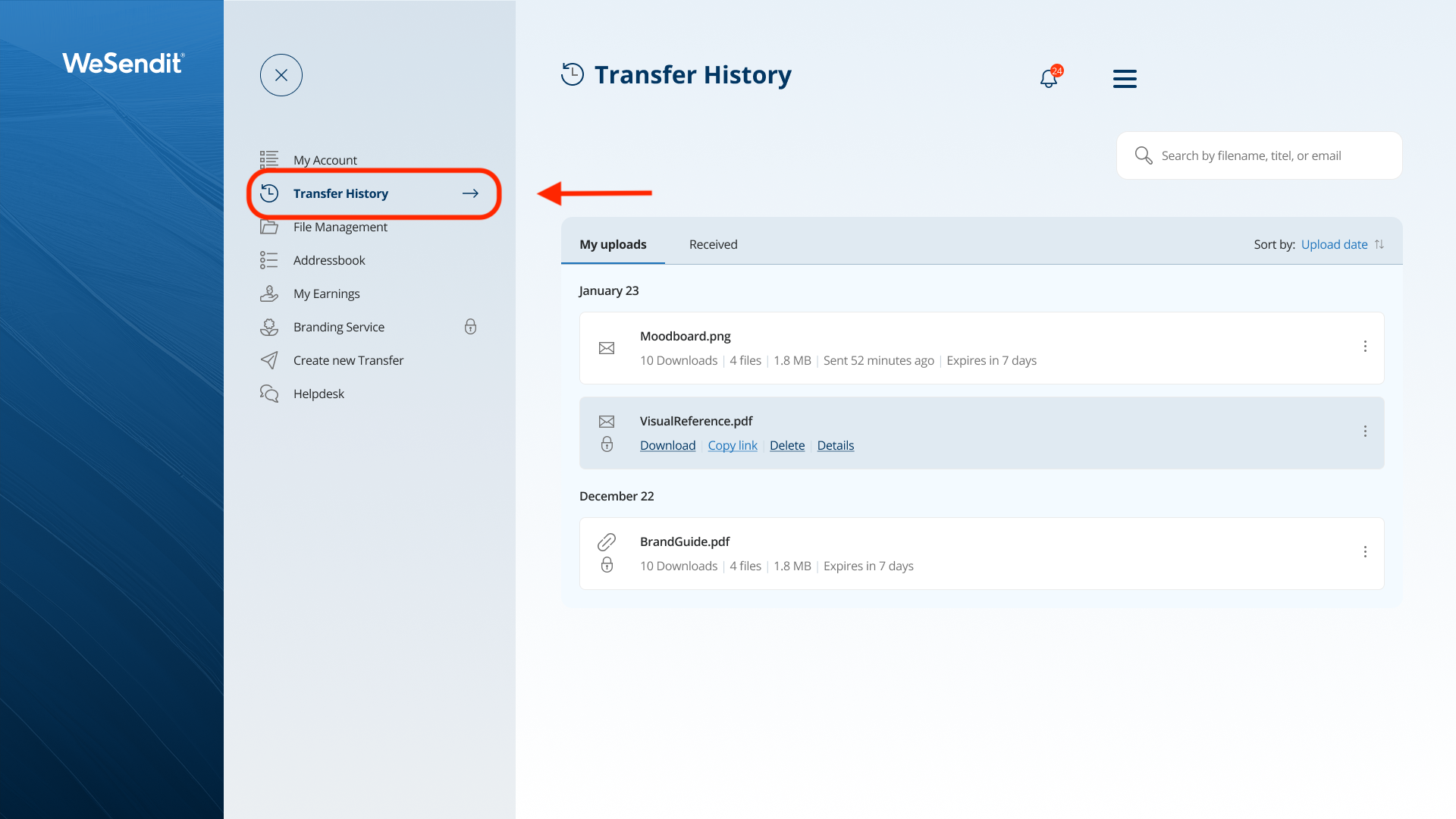
- Click on "Transfer History" in the main menu (left sidebar).
- You will be redirected to your list of personal uploads.
3. Overview and Searching for Transfers
Once you open the page, you will see the "My uploads" section. Your transfers are grouped by upload date.
- Search Function: Use the search field in the top right to quickly find a transfer by its name or subject.
- Sorting: You can sort your list by upload date, file size, expiration date, or title.
- Status Info: Each transfer card shows details such as the number of files, total size, and the remaining link validity.
4. Available Actions
When you hover your mouse over a transfer in the list, various action buttons appear:
- Download: Download the entire transfer directly back to your own device.
- Copy Link: Copy the transfer link back to your clipboard.
- Delete: Permanently delete the transfer. Recipients will no longer have access.
- Details: Open a comprehensive view for this specific transfer.
5. Viewing Detailed Transfer Information
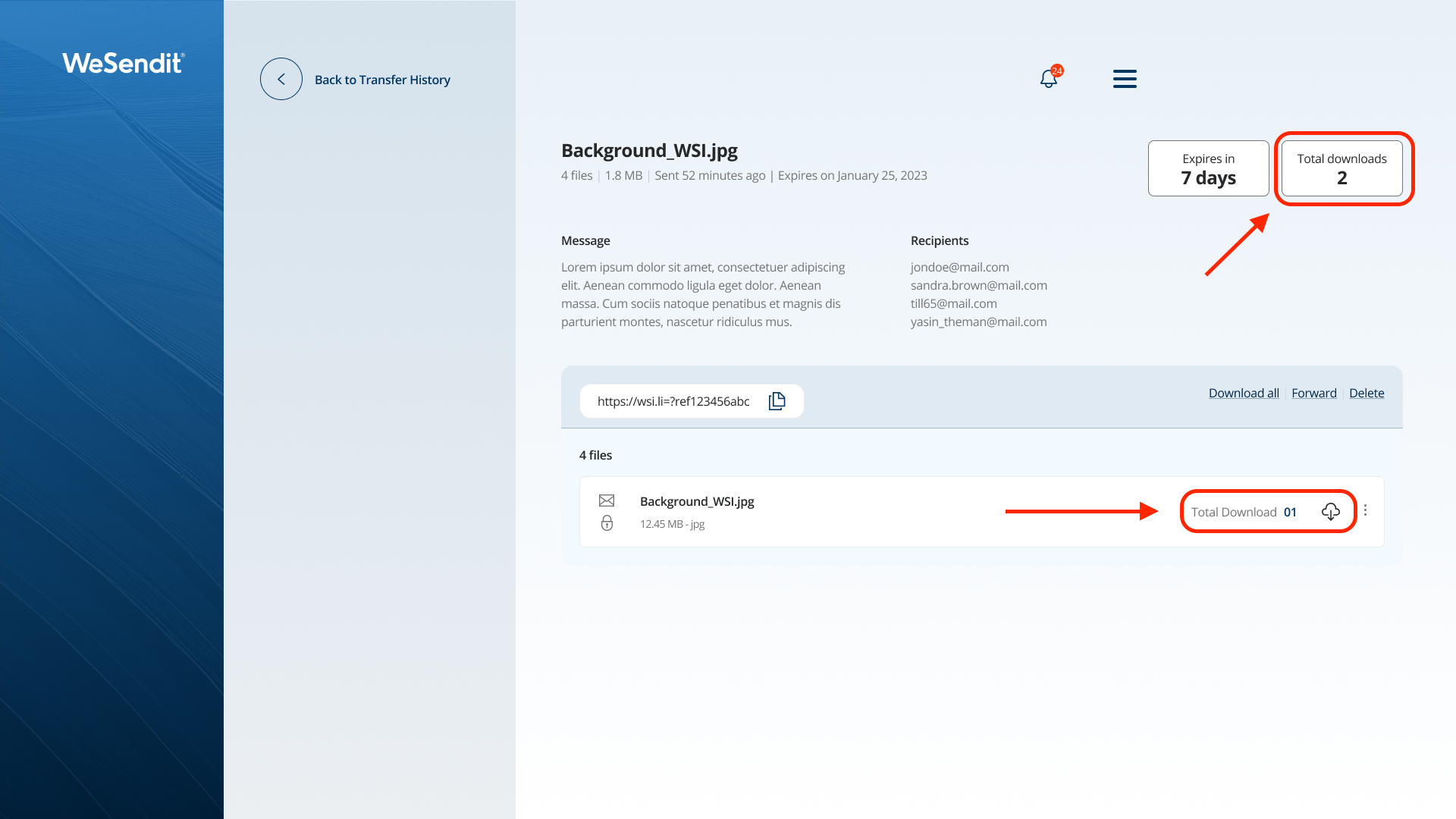
In the details view, you get deeper insights:
- Tracking: See the exact number of successful downloads for the entire package.
- File List: See all individual files included in the transfer, including their specific download counts.
- Recipients: For email transfers, you can view the list of recipients.
Pro Tip: When you delete a transfer, the data is immediately removed from the server. Users will then see a "File not found" message.
Still have questions?
Feeling a bit overwhelmed? That’s completely normal especially in the beginning. If anything remains unclear after browsing our Help Center, don’t hesitate to reach out. Our support team is always here to help you.