
The WeSendit® Address Book: Efficiently Manage Your Contacts
1. Core Features at a Glance
The address book consolidates all your contact information in one place. You can store first names, last names, companies, and departments. Thanks to the integrated search function, you can find people in seconds using their name or email address.
2. Organization through Groups and Subgroups
Bring order to your projects with a hierarchical structure:
- Parent Groups: Create top-level categories for departments or major projects.
- Child Groups: Further divide your contacts within parent groups for precise organization.
- Sorting: All entries are automatically sorted alphanumerically to help you maintain a clear overview.
3. Automatically Saving Contacts
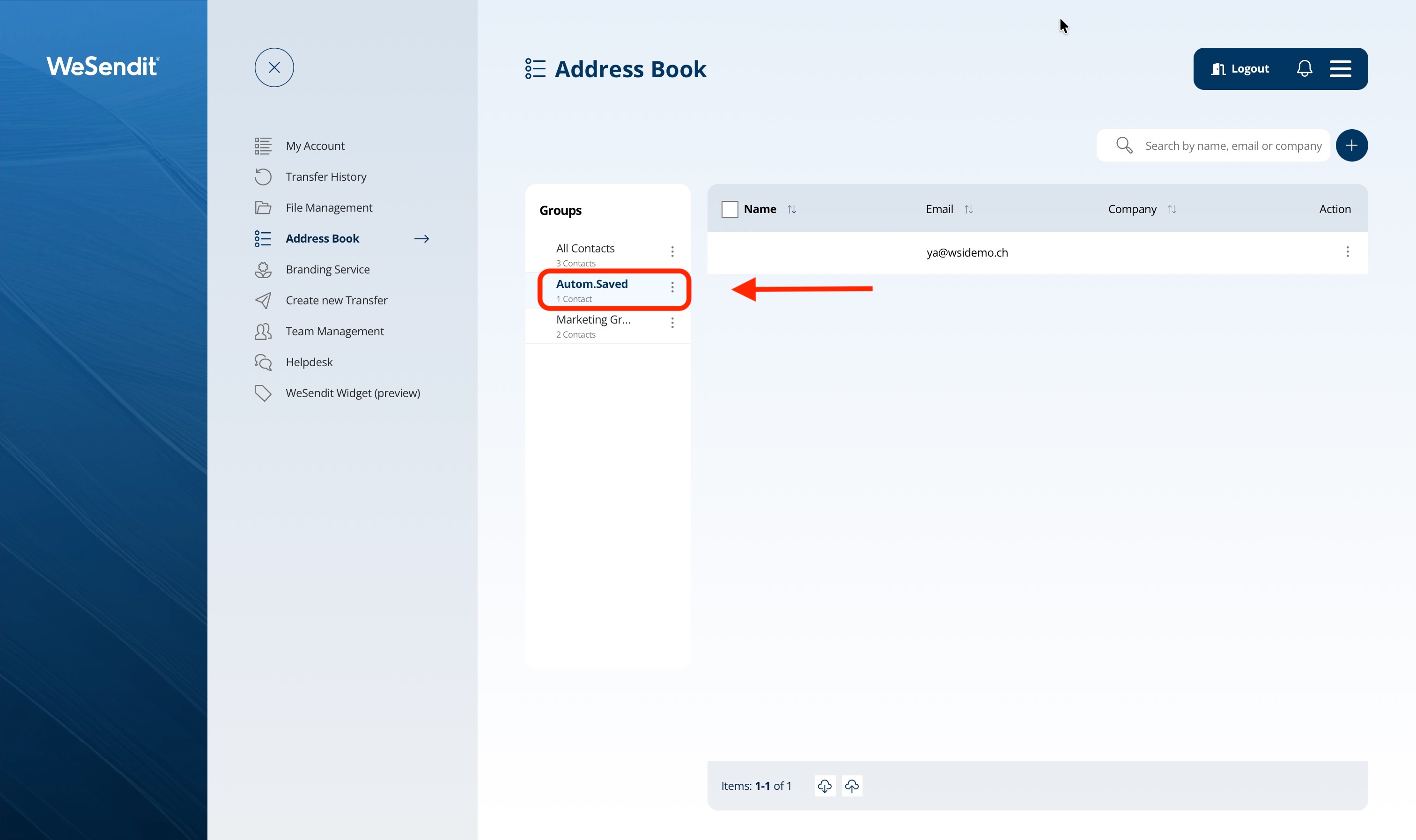
WeSendit® thinks ahead: When you send a file to a new recipient via email, the system automatically saves the address in the "Autom. Saved" group. This saves you from having to manually recreate contacts you've already interacted with.
4. Import and Export (CSV Interface)
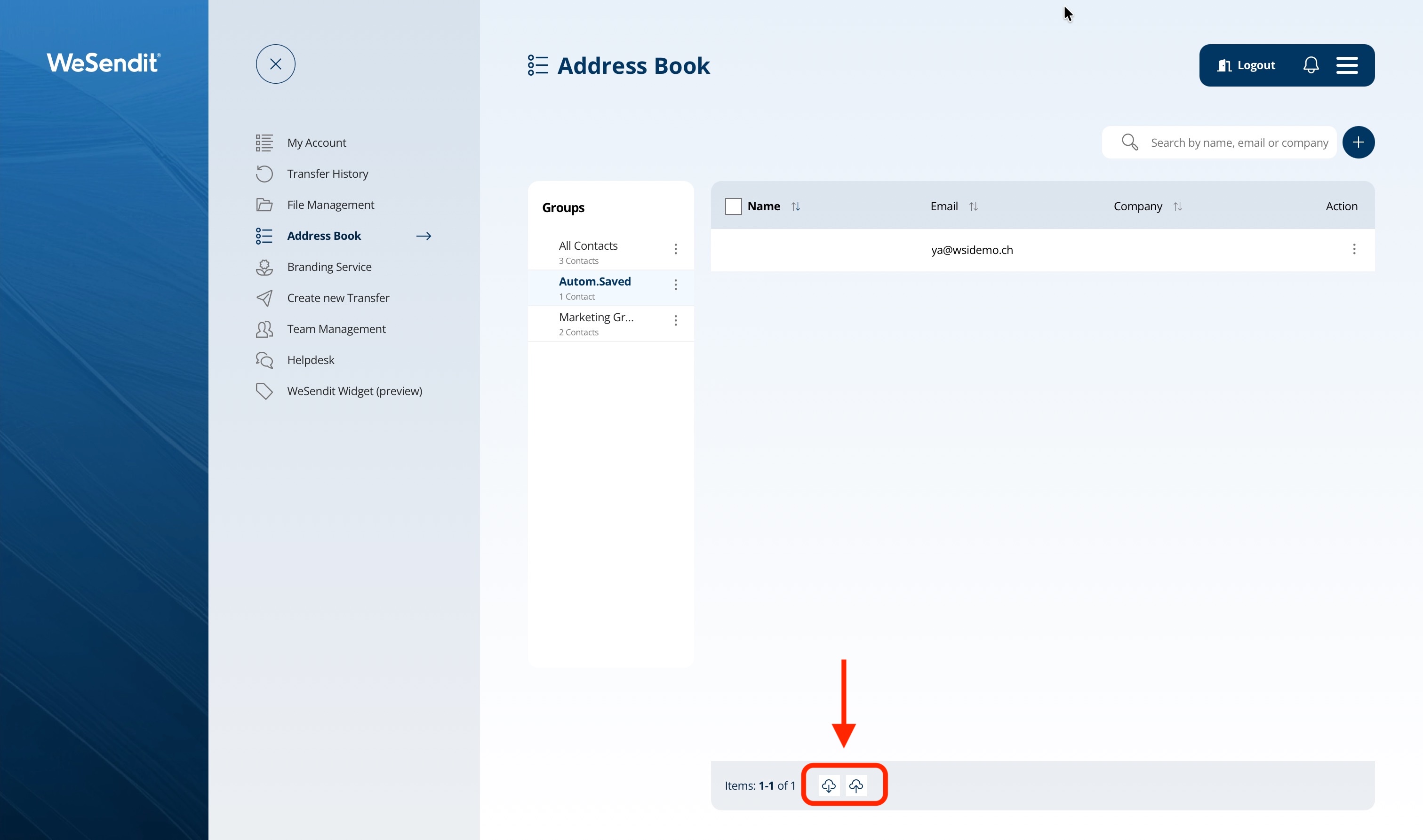
- Import: Easily upload existing lists (up to 5 MB) via CSV. The system automatically assigns contacts to the defined groups.
- Export: Back up your contact list at any time as a CSV file to your local device.
5. Sending Directly to Groups
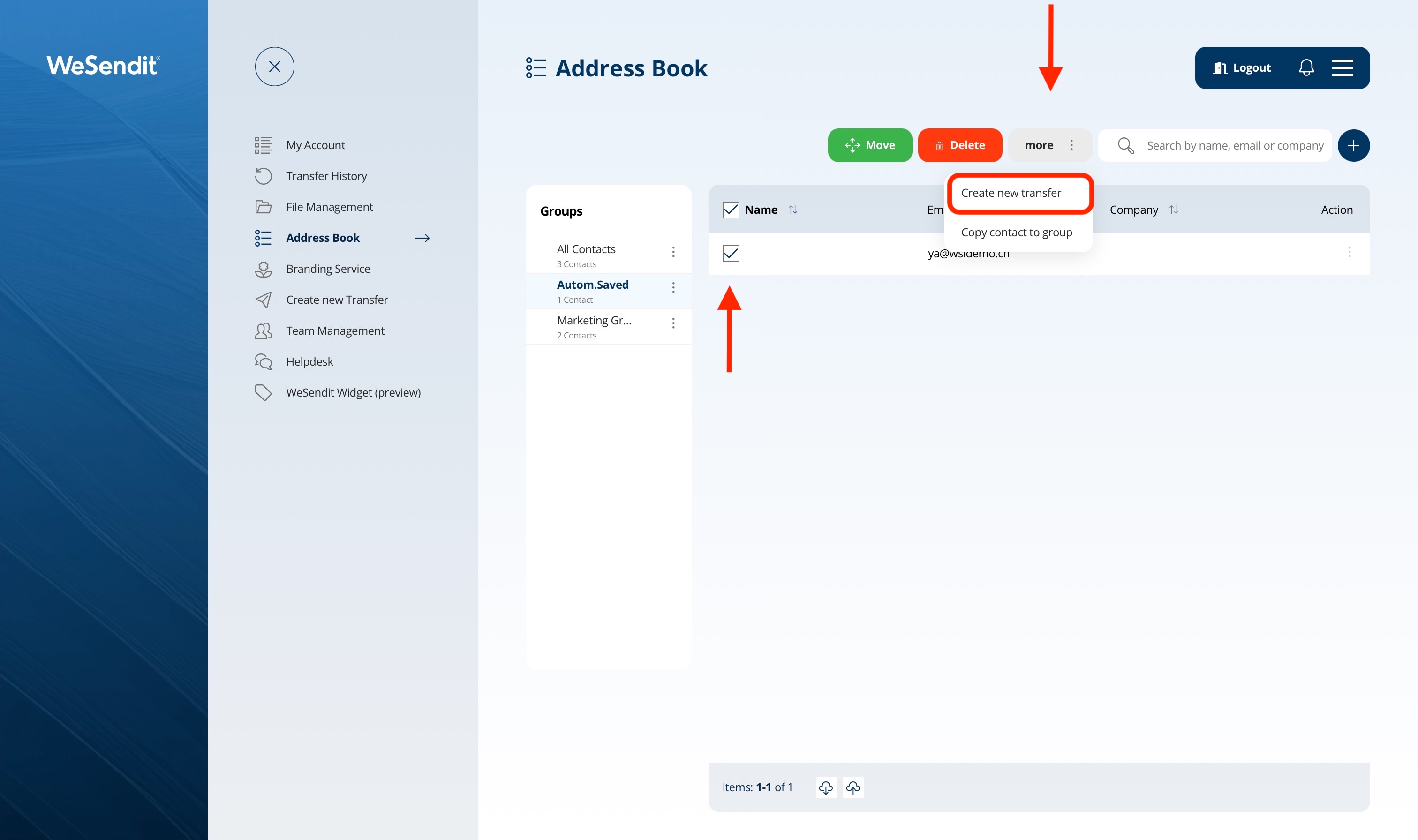
No need to send files to each person individually. Through a group's action menu, you can start the "Create new transfer" process for the entire group or subgroup.
6. Contact History: Viewing Sent Transfers
Within each contact's details, you will find the "Transfers sent" tab. Here, WeSendit® lists all files you have ever sent to this specific person chronologically, providing excellent traceability for your projects.
Final tip: Use the Move and Copy functions to flexibly transfer contacts between groups.
Still have questions?
Feeling a bit overwhelmed? That’s completely normal especially in the beginning. If anything remains unclear after browsing our Help Center, don’t hesitate to reach out. Our support team is always here to help you.