
Secure File Transfer with WeSendit®: Options, File Types, and Benefits
File Transfer is the core of WeSendit®, allowing you to send large amounts of data quickly and securely worldwide. In this article, you will learn about the different sending options, supported formats, and how to protect your transfers using professional settings.
1. Transfer Options at a Glance
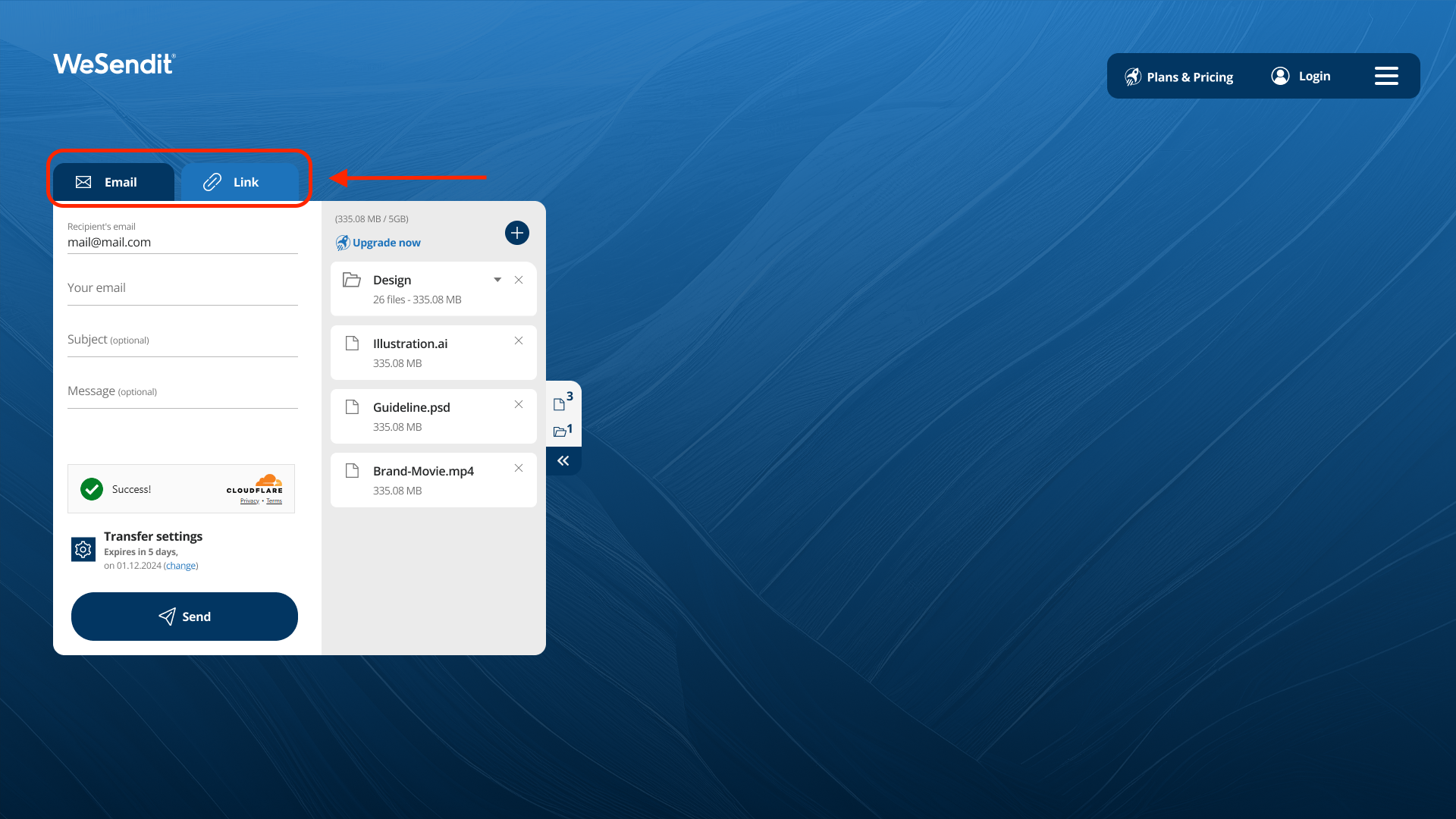
WeSendit® offers two primary methods for sharing your files. Choose the one that best fits your needs:
- Email Transfer: Enter the recipient's email address directly. WeSendit® will automatically notify you when the transfer is sent and as soon as the recipient starts the download.
- Link Transfer: WeSendit® generates a unique link. You can copy this link and share it via messenger (e.g., WhatsApp), social media, or your website. Note: Automatic download notifications are not available for this option.
2. Supported Files and Formats
With WeSendit®, you enjoy complete freedom with your content:
- All Common Formats: Whether it's documents, high-res videos, images, or audio files – we support every file type.
- Entire Folder Structures: You can upload complete folders. The structure remains exactly as you organized it on your computer for the recipient.
- Size Limits: Guest users can send up to 129,1 GB for free. Pro users have a 200 GB limit, while Business users enjoy 5 TB transfer volume.
3. Advanced Settings for Professionals
Depending on your subscription, additional security and scheduling tools are available:
- Password Protection: Secure sensitive data. Only those with the password can download the files.
- Link Lifetime: Decide if a link expires after 1-7 days or (for Pro/Business) remains valid indefinitely.
- Scheduled Transfer: Set your files to be sent automatically at a specific future date.
4. Your Benefits when Sending with WeSendit®
- Swiss Security: Your data is processed according to the strictest Swiss data protection regulations (GDPR) and encrypted with AES-256.
- Decentralized Speed: Utilizing Web3 technology, data is distributed across decentralized nodes, ensuring high redundancy and fast transfer speeds.
- Activity Rewards: As a Web3 user, you earn WSI tokens when recipients download your shared files.
Final tip: Use the integrated address book to create groups and send frequent transfers even faster.
Still have questions?
Feeling a bit overwhelmed? That’s completely normal especially in the beginning. If anything remains unclear after browsing our Help Center, don’t hesitate to reach out. Our support team is always here to help you.