
How to Configure S3 API IP Address Permissions
1. What Are Authorized IP Addresses For?
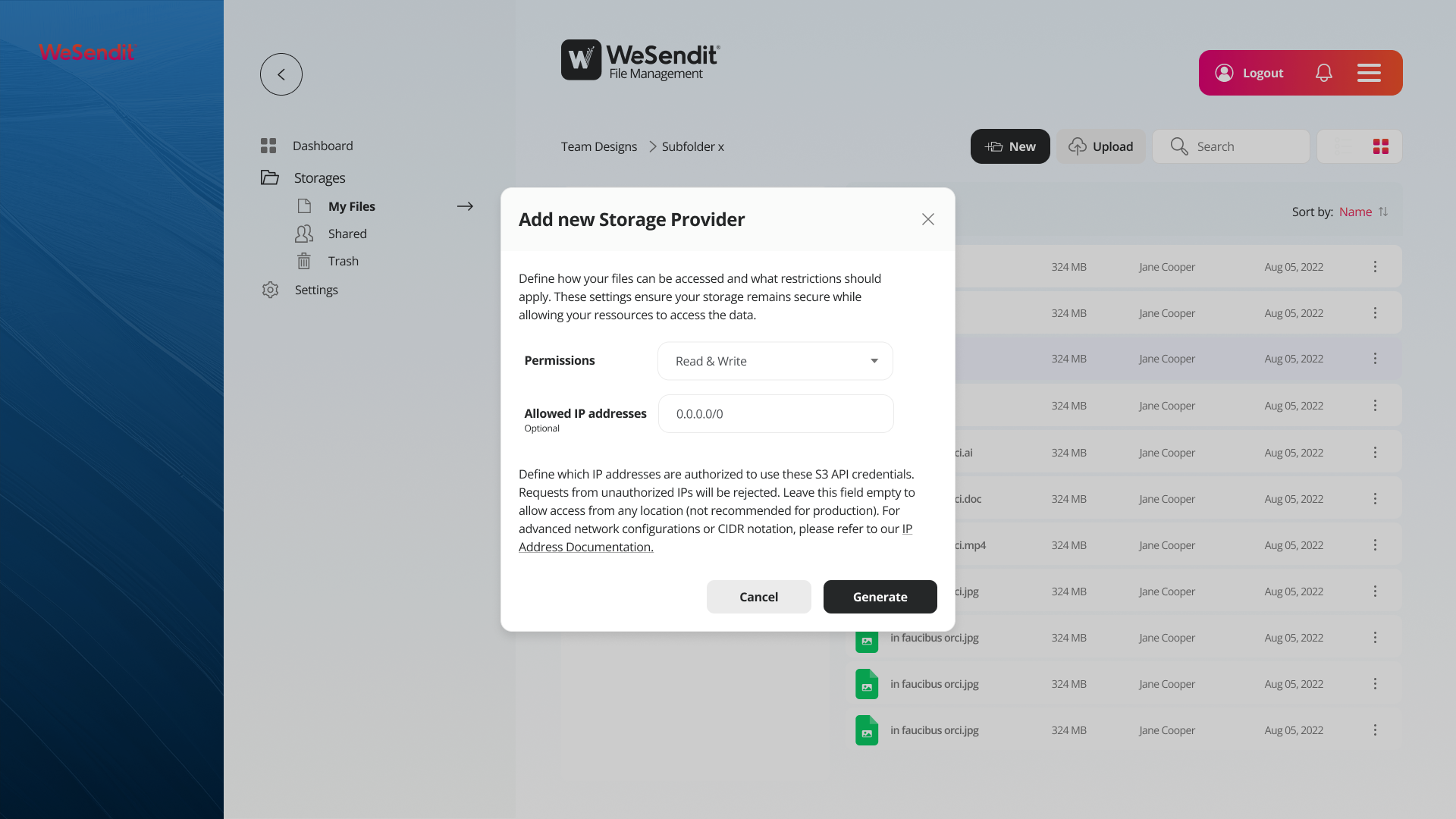
When you add a new storage provider in WeSendit File Management, you can define which IP addresses are permitted to use your S3 API credentials. Requests from unauthorized IP addresses are automatically rejected.
This gives you an additional layer of security: even if someone knows your API credentials, they can only use them from the networks you've explicitly allowed.
2. The "Allowed IP Addresses" Field at a Glance
In the "Add new Storage Provider" modal, you'll find the "Allowed IP addresses" field (optional).
- Leave empty: Access is allowed from any IP address in the world — not recommended for production.
- Enter one or more values: Access is restricted to those specific IP addresses or ranges.
3. What Is CIDR Notation?
CIDR (Classless Inter-Domain Routing) is a compact way to define individual IP addresses or entire IP ranges.
Structure
IP address / prefix length
The prefix length (the number after the /) indicates how many bits of the address range are fixed and therefore how large the allowed range is.
Notation | Meaning | Number of Addresses |
|---|---|---|
| Exactly one IP address | 1 |
| All addresses from .0 to .255 | 256 |
| All addresses from 10.0.0.0–10.0.255.255 | 65,536 |
| All IP addresses worldwide | Unlimited |
💡 Helpful reminder: The larger the number after
/, the smaller the allowed IP range./32= exactly one address,/0= everything allowed.
4. Configuration Examples
Allow a Single IP Address
If only one specific server or machine should have access:
203.0.113.42/32Allow an IP Range (Subnet)
If all devices in your office network should have access, for example:
192.168.1.0/24This allows all addresses from 192.168.1.0 to 192.168.1.255.
Combining Multiple IPs or Ranges
You can separate multiple entries with a comma or line break (depending on UI behavior):
203.0.113.42/32
198.51.100.0/24
10.10.5.0/28
5. Why 0.0.0.0/0 Is Problematic in Production
0.0.0.0/0 means: all IP addresses in the world are allowed. While convenient for initial testing, this poses a significant security risk:
- Anyone who knows (or guesses) your API credentials can use them from anywhere
- In the event of a credentials leak, there is no network-level protection against misuse
- For GDPR-compliant or business-critical environments, unrestricted access is generally not permissible
Recommendation: Always restrict access to the IP addresses of your own servers, office networks, or VPN exit points.
6. Behavior for Unauthorized Requests
If a request comes from an IP address that is not on your allowlist, it is automatically rejected. The request never reaches your storage provider — regardless of whether the API credentials are correct.
This means:
- No data access is possible
- No detailed error message is returned (for security reasons)
- The request is silently dropped or answered with a
403 Forbidden
7. Advanced Network Configurations
VPN Access
If your team works via a VPN, enter the exit IP address of your VPN server — not the internal addresses of individual devices.
Cloud Servers & CI/CD Pipelines
For automated processes (e.g. backups, build pipelines), enter the static IP address of the relevant server. Dynamic IPs are not suitable for production use.
Multiple Locations
If you have multiple offices or data centers, you can add one CIDR entry per location:
203.0.113.0/28    ← Hamburg office
198.51.100.64/28  ← Munich office
10.8.0.1/32       ← VPN server
Summary
Scenario | Recommended Configuration |
|---|---|
Single server only |
|
Office network |
|
Multiple locations | Multiple CIDR entries |
Testing only (short-term) |
– update afterwards! |
Production without restrictions | Not recommended |
Related Articles
Still have questions?
Feeling a bit overwhelmed? That’s completely normal especially in the beginning. If anything remains unclear after browsing our Help Center, don’t hesitate to reach out. Our support team is always here to help you.