
Deleting a Storage Connection: What Happens to Your Data?
1. What Does "Delete Connection" Mean?
When you delete a connection, the link between WeSendit and your storage provider is permanently severed. This affects:
- The connection in WeSendit File Management
- All S3 API credentials associated with this connection
- All external tools or applications using those credentials
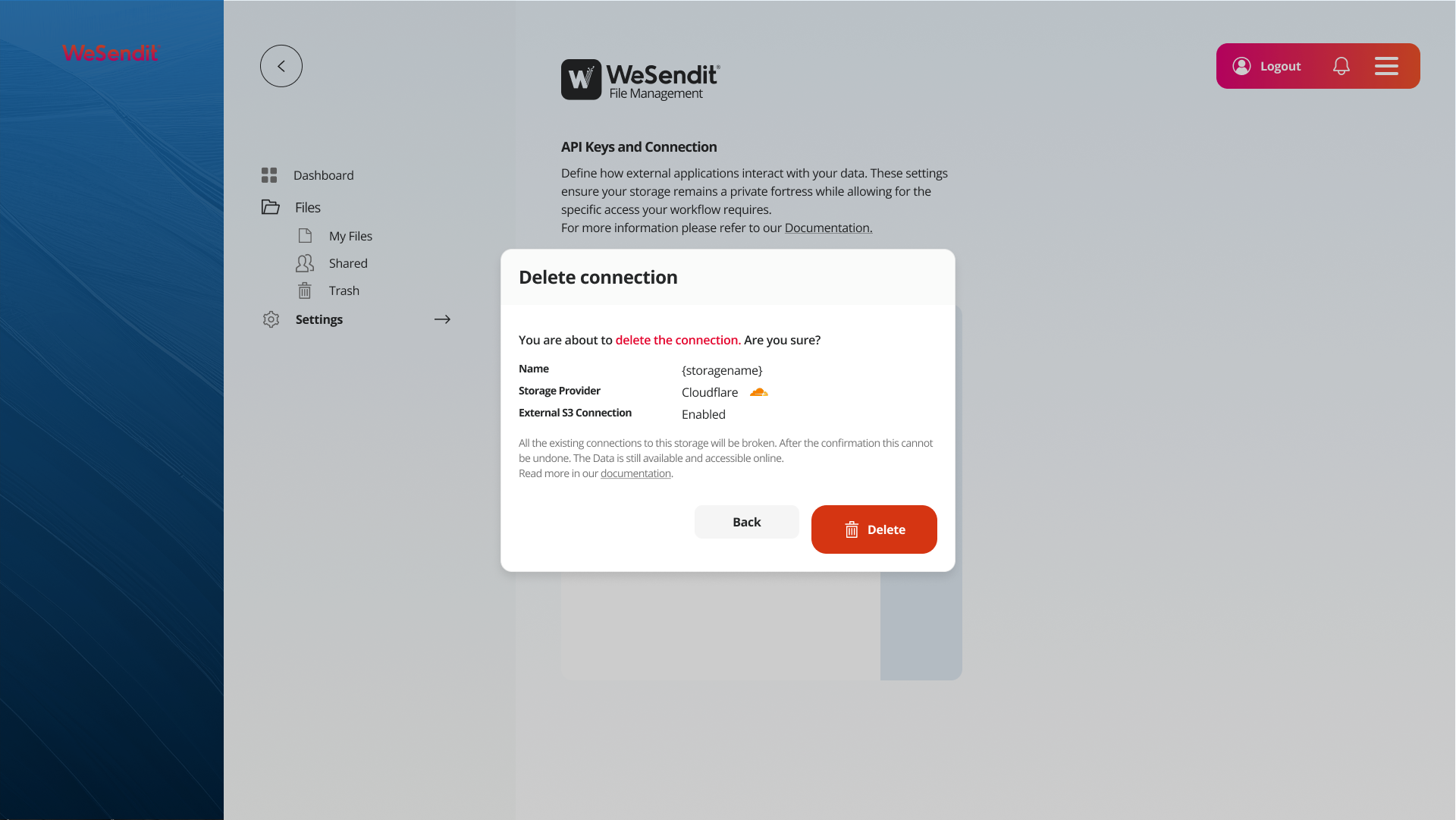
Caution: This action cannot be undone after confirmation.
2. What Happens to Your Data?
The most important thing first: your data is not lost.
What happens | What does NOT happen |
|---|---|
✅ The connection in WeSendit is severed | ❌ Your data is not deleted |
✅ S3 credentials become invalid | ❌ The bucket at the provider remains intact |
✅ External tools can no longer access the storage | ❌ Files at the provider remain online |
Your files remain accessible directly at the storage provider (e.g. Cloudflare, AWS) as long as you have access there.
3. What Happens to Existing Connections?
Once you delete the connection, all associated connections enter a Broken State:
- External tools (e.g. Rclone, Cyberduck, custom scripts) using the old S3 credentials will immediately receive access errors
- Automated processes (backups, sync jobs, CI/CD pipelines) will fail
- The connection will no longer appear in WeSendit and cannot be reactivated
💡 Important: If you delete a connection with External S3 Connection enabled, all external integrations are affected immediately. Notify all people or systems using these credentials before deleting.
4. Recovery Is Not Possible
After clicking "Delete" and confirming, there is no way back:
- The connection data cannot be restored
- The generated S3 credentials (Access Key + Secret Key) become permanently invalid
- A new connection to the same bucket is possible, but will generate new credentials — all existing integrations must then be reconfigured
5. Alternatives to Deletion
Before deleting a connection, check whether one of the following alternatives better meets your needs:
Key Rotation (Recommended for Security Concerns)
If you suspect your credentials have been compromised, it's often better to generate new S3 credentials rather than deleting the entire connection. The storage remains intact in WeSendit, and you only need to update the new credentials in your external tools.
→ Go to Settings → API Keys and Connection and generate new credentials for the affected storage.
Restricting Access Rights
If you want to limit access without deleting the connection, adjust the Permissions or Allowed IP Addresses. This lets you control who can access the storage without ending the connection itself.
→ Learn more in: IP Address Documentation – Securing Access via S3
Renaming or Reorganizing the Storage
If the reason for deletion is organizational (e.g. wrong name, wrong structure), you can simply rename the storage or move files to a different storage.
6. Checklist Before Deleting
Before clicking "Delete", go through this list:
- I have identified all external tools and scripts using these credentials
- I have informed all affected people or teams
- I have created a backup of the important data in this storage
- I have checked whether an alternative (key rotation, IP restriction) is sufficient
- I am certain I want to permanently sever this connection
Only once all boxes are checked: click Delete.
7. Impact on Cloudflare and External S3 Connections
If your storage is connected via Cloudflare or another external S3 provider and you delete the connection in WeSendit:
- WeSendit side: The connection and all credentials are removed
- Provider side (e.g. Cloudflare): The bucket and its contents remain completely unchanged
- Your Cloudflare account: Is not affected — access via the Cloudflare dashboard remains available
💡 Practical tip: If you plan to reconnect the same Cloudflare bucket to WeSendit later, note down the exact Bucket Name and Server Address beforehand — you'll need this information when reconnecting.
Related Articles
Still have questions?
Feeling a bit overwhelmed? That’s completely normal especially in the beginning. If anything remains unclear after browsing our Help Center, don’t hesitate to reach out. Our support team is always here to help you.