
WeSendit® Branding: Give Your File Transfers Your Own Identity
In this article, you will learn everything about the WeSendit® Branding Service. We explain the difference between branding levels, how to set up your professional appearance, and the technical requirements your graphics must meet.
1. Basic vs. Full Branding: What’s the Difference?
- Basic Branding: Allows you to upload a custom background (wallpaper) and set an individual channel URL (e.g.,
yourname.wesendit.com). - Full Branding: Additionally offers logo uploads for the interface and emails, up to four rotating backgrounds, and the ability to link your own website directly in the wallpaper.
2. Your Benefits at a Glance
- Professional Appearance: Consistent corporate design for all transfers.
- Trust: Customers immediately recognize your brand, increasing security during downloads.
- Marketing: Guide recipients directly to your offers by clicking on the background.
3. Availability: Which Plan Do You Need?
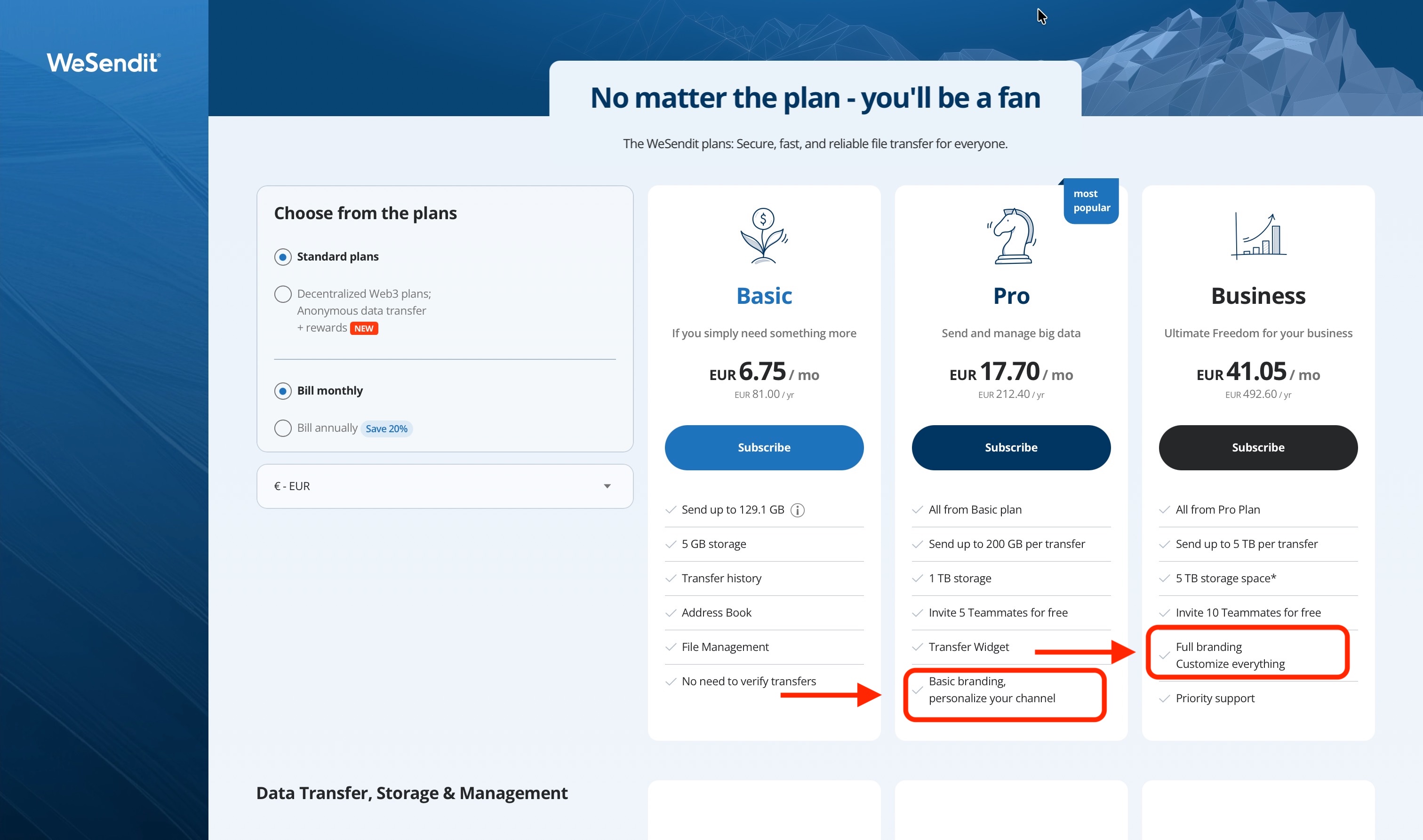
Branding is available for Pro and Business plans. Full Branding is primarily integrated into the Business sector.
4. Step-by-Step Setup
- Go to "Branding Service" in the main menu.
- Choose your Channel URL (e.g.,
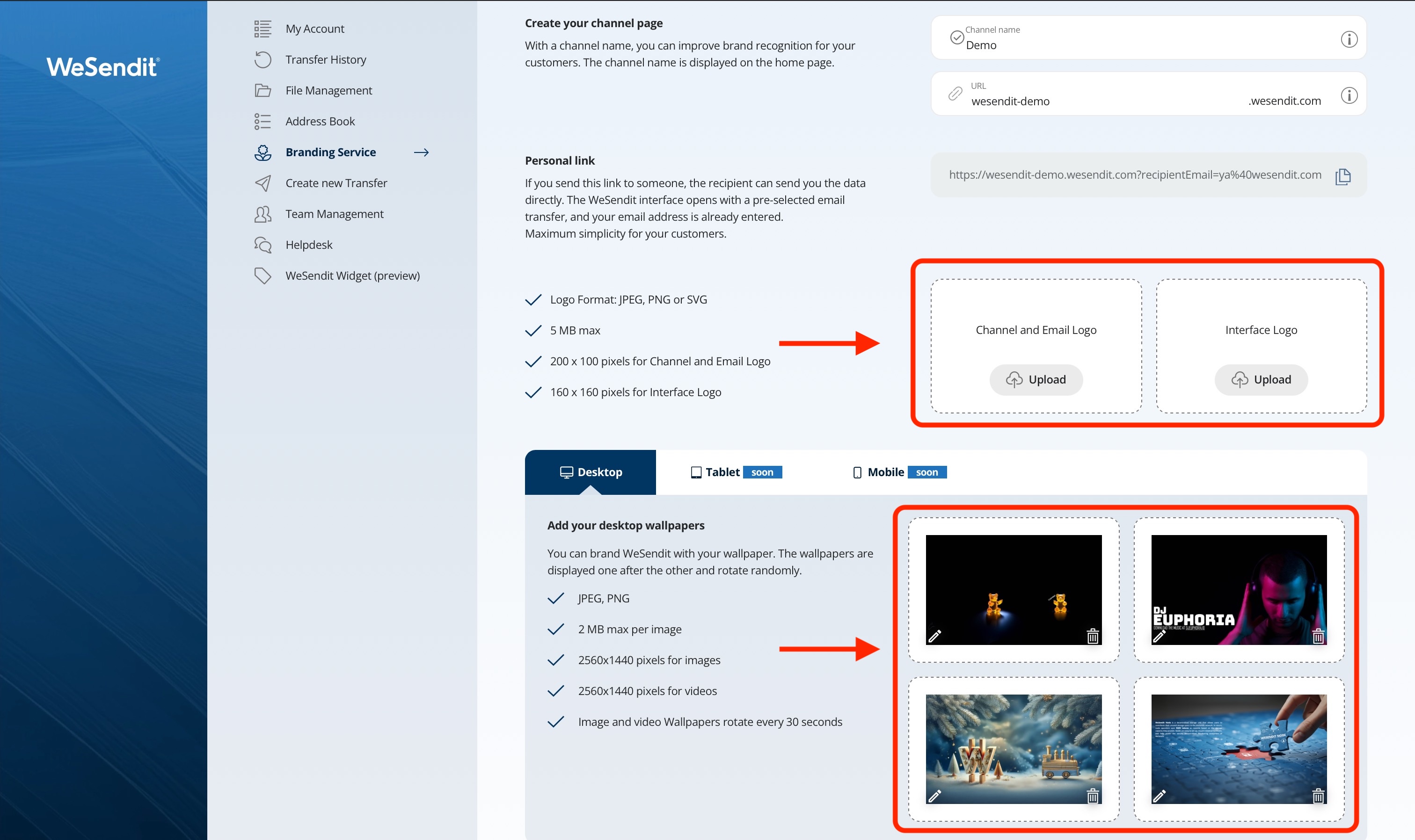
schmidt-agency). - Upload your Logos (Channel logo for emails, Interface logo for the menu).
- Choose your Wallpapers. If you use multiple images, they will rotate every 30 seconds.
- Add your Website URL so users are directed there when clicking the wallpaper.
- Click "Save" to activate your branding.
5. Technical Requirements
Element | Dateitypen | Max. Größe | Optimale Maße |
|---|---|---|---|
Kanal-Logo und E-Mail Logo | JPEG, PNG, SVG | 5 MB | 200 x 100 px |
Interface-Logo | JPEG, PNG, SVG | 5 MB | 160 x 160 px |
Wallpaper | JPEG, PNG | 2 MB | 2560x1440 px |
💡
Important:
Avoid special characters (such as ! @ # $ %) in filenames to prevent upload errors.
Final tip: Test your new branding channel by sending a test file to yourself using your new channel URL.
Still have questions?
Feeling a bit overwhelmed? That’s completely normal especially in the beginning. If anything remains unclear after browsing our Help Center, don’t hesitate to reach out. Our support team is always here to help you.