
How to Cancel/Delete Your WeSendit® Account (Immediately or Scheduled)
Step-by-Step Guide: The Path to Account Deletion
To start the deletion process, please follow these steps:
- Log in to your WeSendit® account.
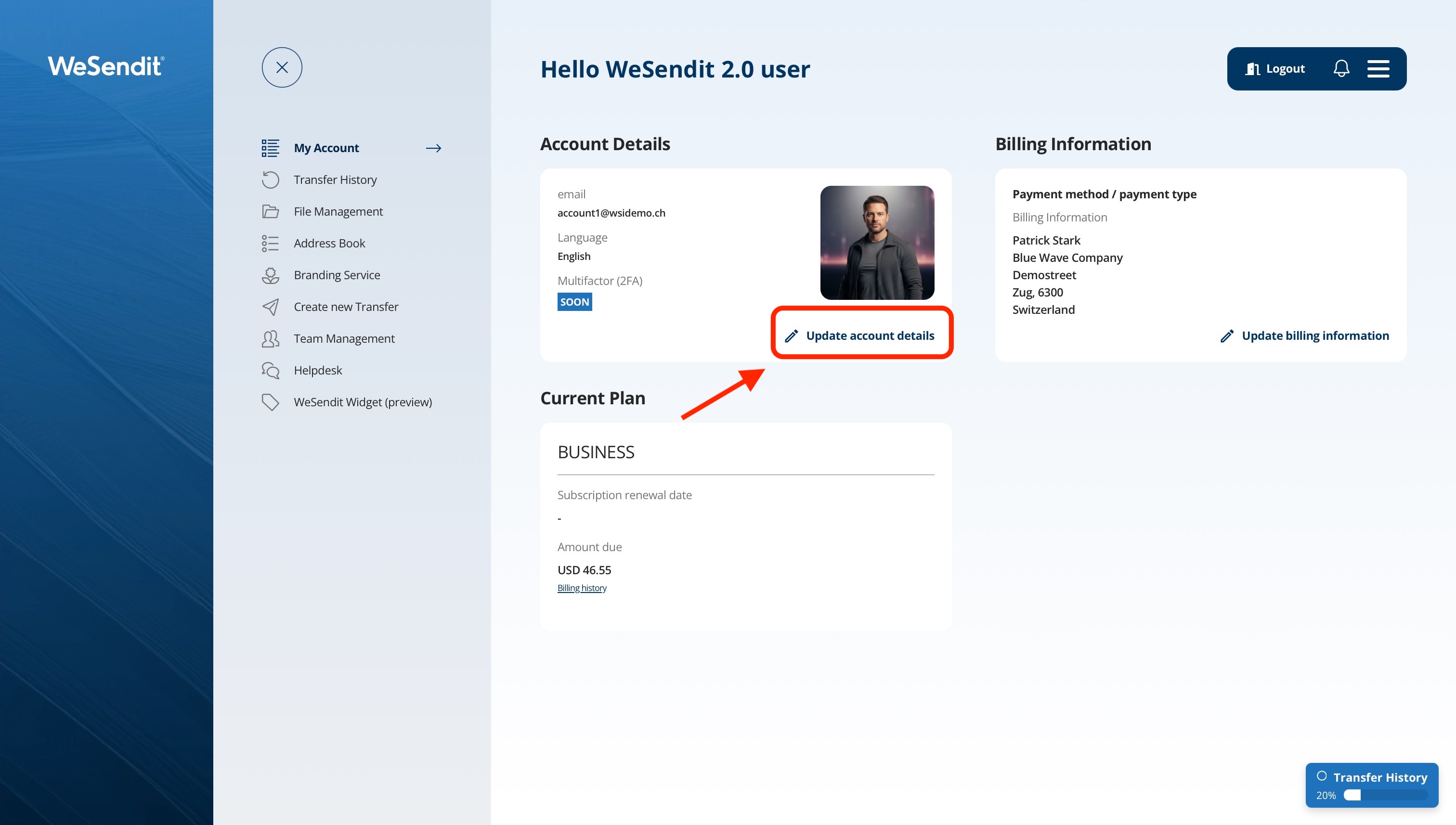
- Click on My Account in the menu and select Update account details.
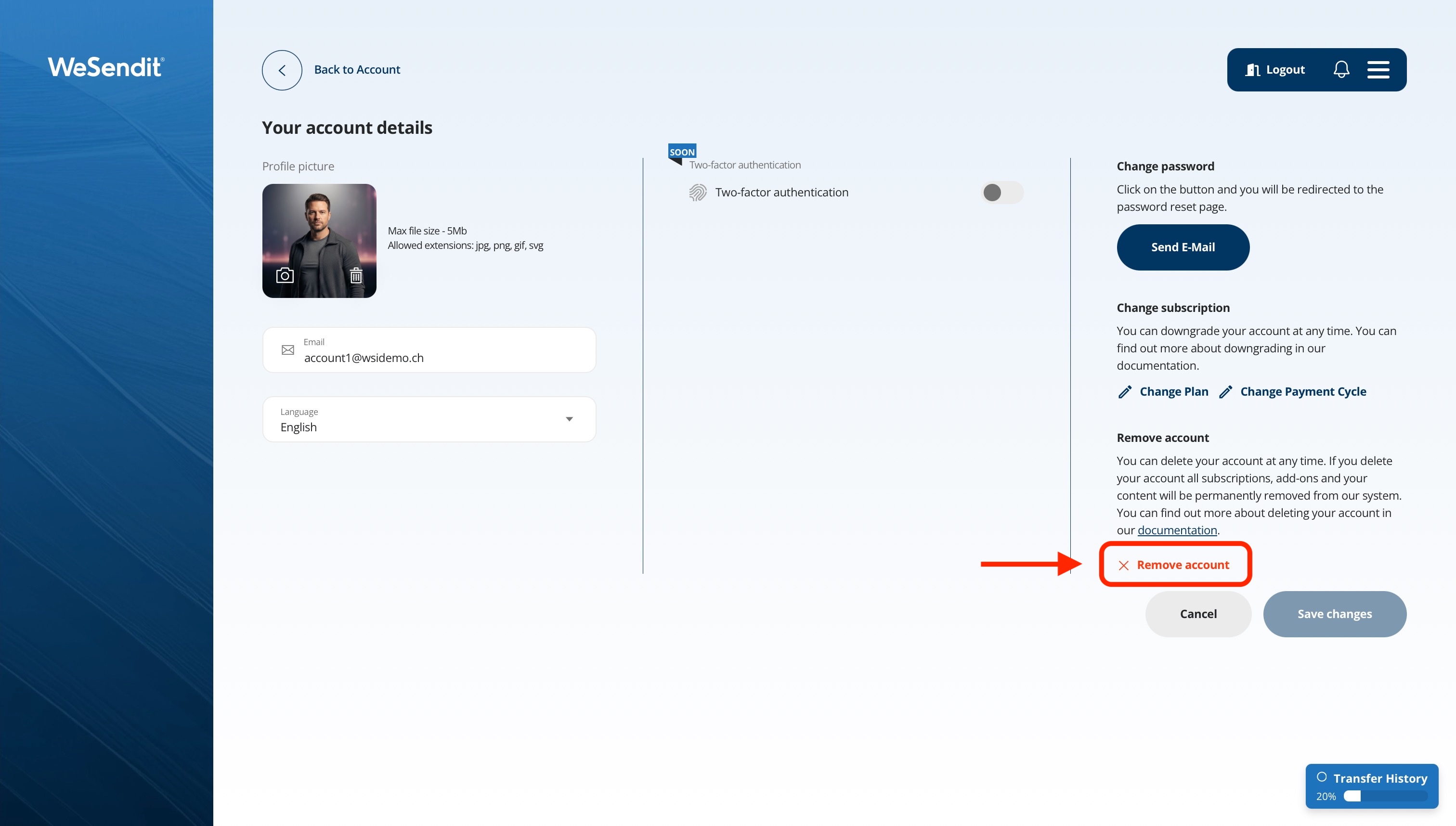
- Click on the Delete Account button.
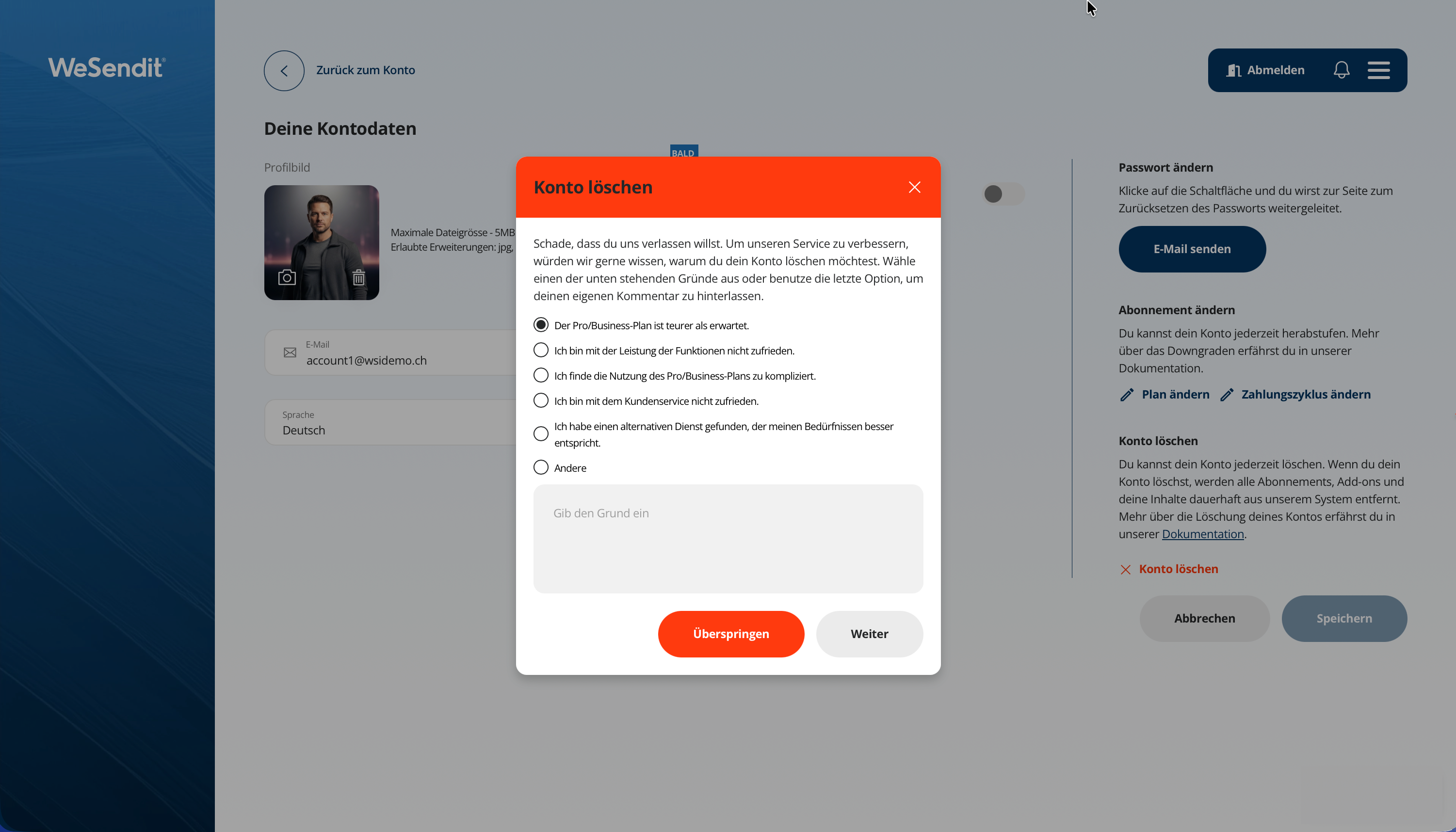
- Select a reason for deleting your account or simply click Skip.
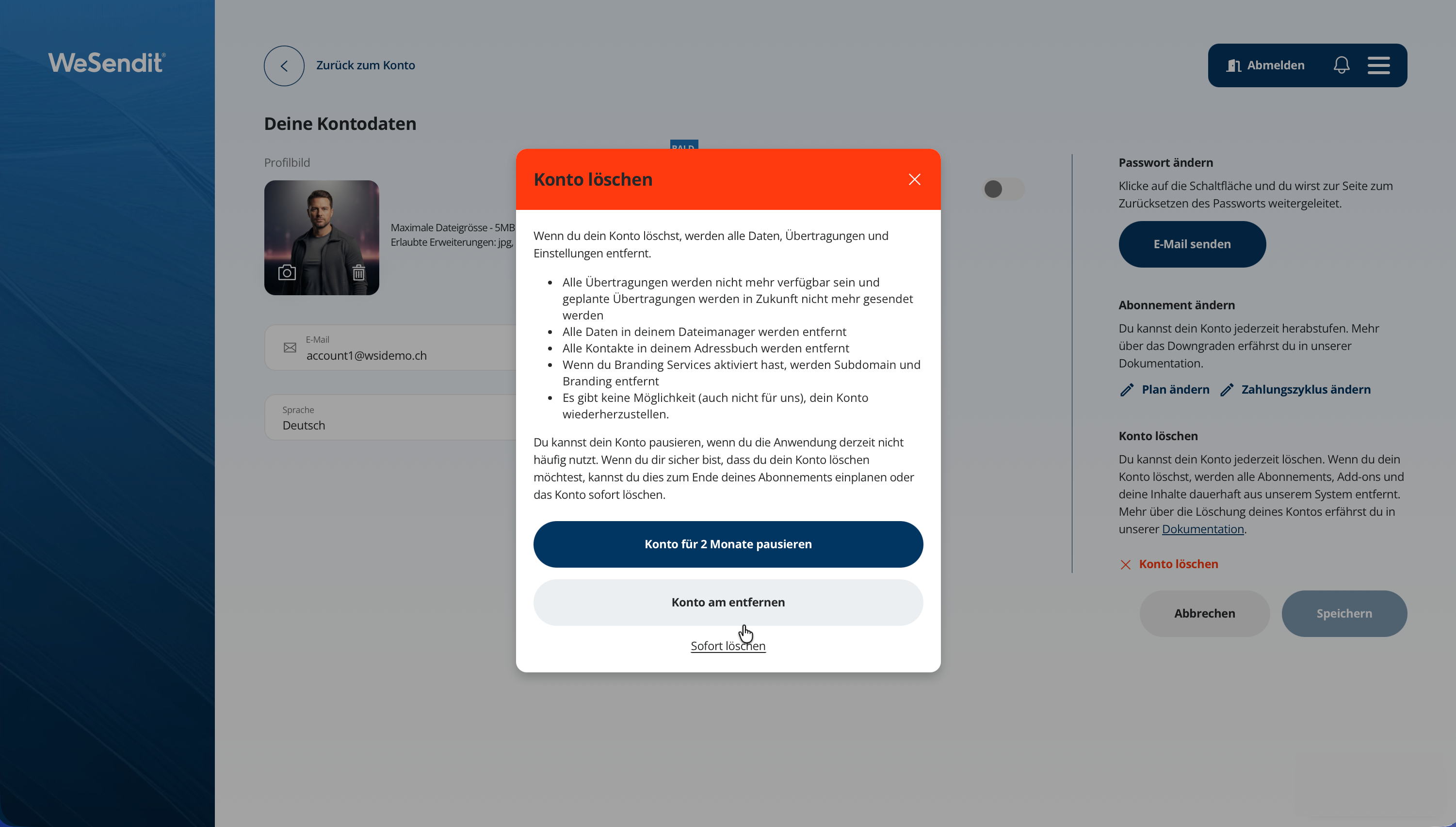
- On the final screen, choose your preferred option: Pause subscription, Delete at end of period, or Delete anyway (for immediate deletion).
Please read the following sections carefully to understand the impact of your choice on your payments and data.
Option 1: Scheduled Removal (Delete at end of period)
This is the safest option if you have a paid subscription.
- How it works: Your account remains active until your current payment cycle ends (the date of your next scheduled payment).
- Your Benefit: You can use all paid features until the last day. There will be no further automatic renewal or charge.
- Important: On the specified deadline date, your account will be automatically and irrevocably deleted.
Option 2: Immediate Removal (Delete anyway)
Choose this option only if you want to end access immediately.
- How it works: Your account is closed immediately. You will be logged out and cannot log in again.
- Payments: Please note that payments already made for the current period will not be refunded until otherwhise agreed with our support. By choosing immediate deletion, you forfeit the remaining term of your subscription.
- Active Transfers: All active file transfers will be cancelled immediately.
What Happens to Your Data
No matter which option you choose, the following things happen irrevocably at the time of effective deletion (immediately or on the deadline):
- All your files in File Management will be deleted.
- Your open Rewards will expire.
- Your personal settings and branding data will be removed.
Note: For security and data protection reasons (GDPR), we may keep account data in a protected archive for up to 60 days before it physically disappears completely from our servers. However, access or recovery by you is no longer possible during this time.
Conclusion
If you change your mind, you can still cancel a scheduled deletion before the deadline in the "My Account" area. This is not possible with immediate deletion.
Still have questions?
Feeling a bit overwhelmed? That’s completely normal especially in the beginning. If anything remains unclear after browsing our Help Center, don’t hesitate to reach out. Our support team is always here to help you.